Your creation, better photographed
Improve cake photos with AI
Ambrosia Studio improves the presentation of cake photos and prepares Instagram captions. Add a sharp photo of your creation to receive a lighting, background and styling suggestion. Compare it with the original before publishing: AI can also change cake details.
Updated on
Free plan, no payment card required · 1 credit per generated post
Graphic design expertise built into the tools
Ambrosia tools combine development, AI and graphic design expertise. Noëlia, a graphic designer, contributes to strategy and marketing analysis, AI instructions and tool design alongside the team.
This work guides the suggestions prepared from your photo and business details. You then compare the result with your actual creation before publishing it.
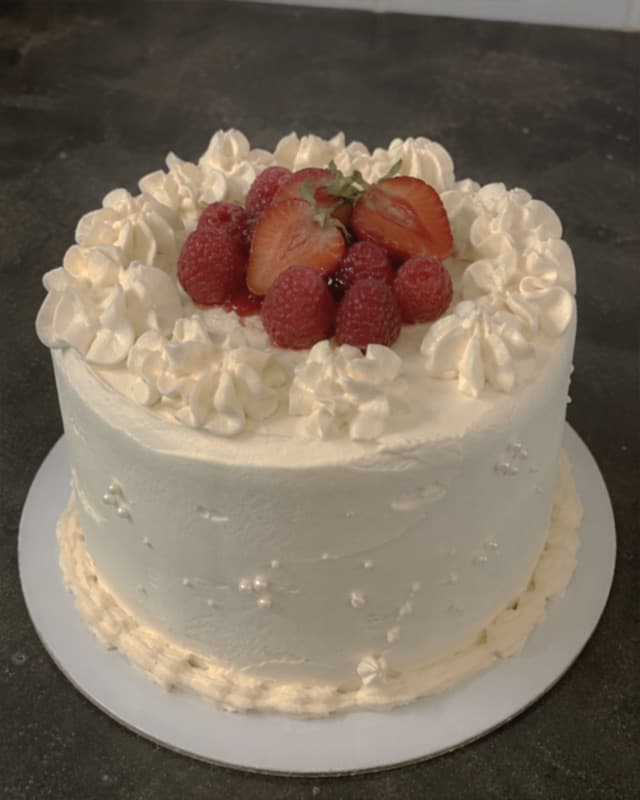
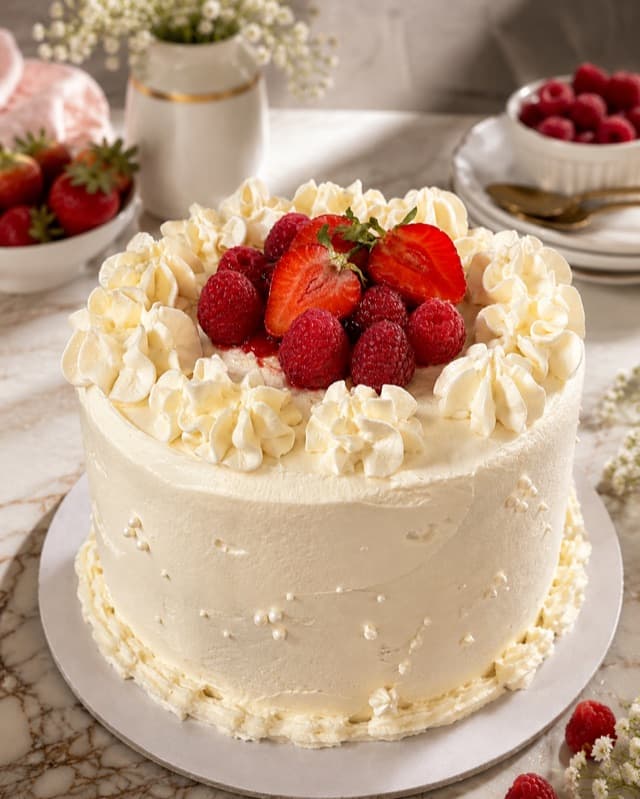
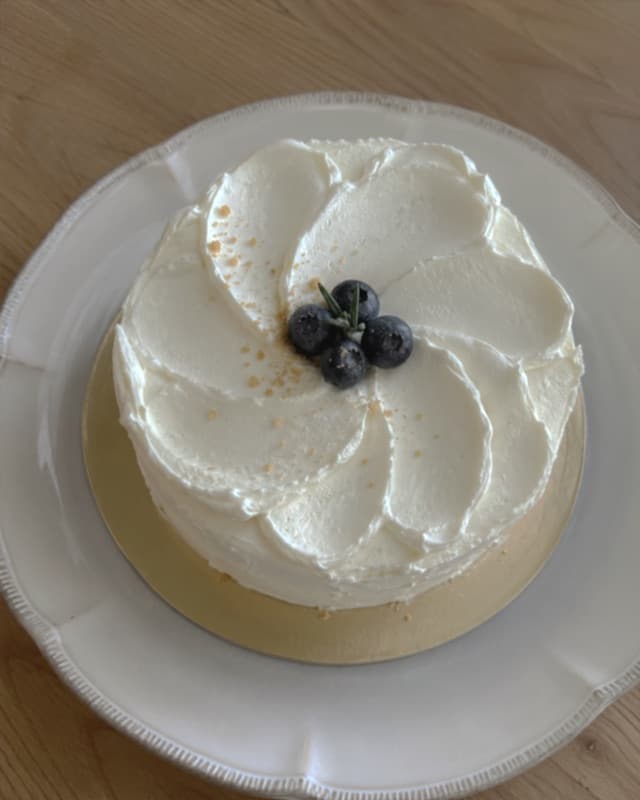
Three before-and-after examples to examine closely
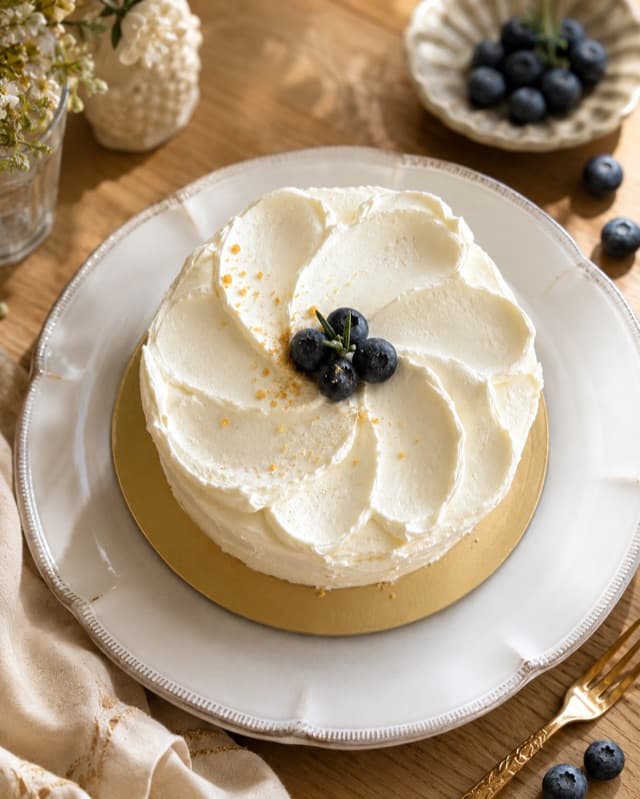
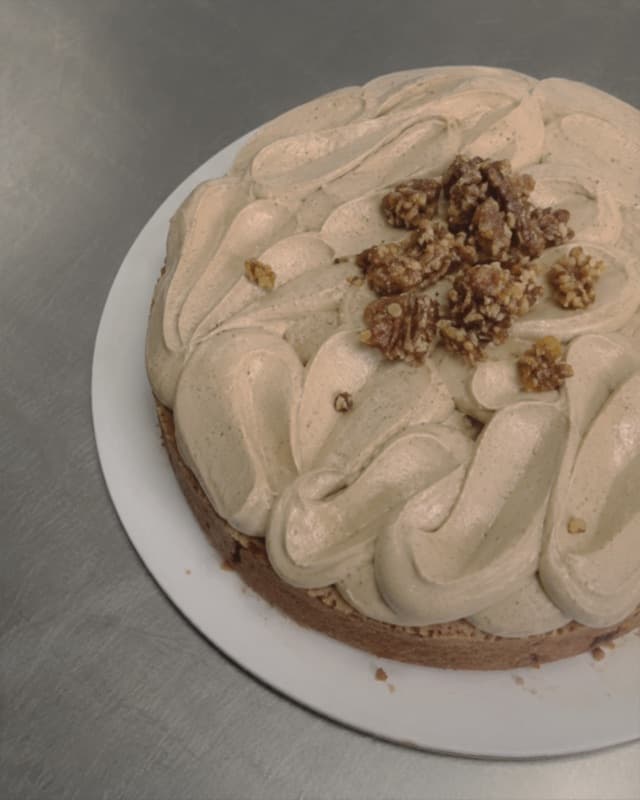
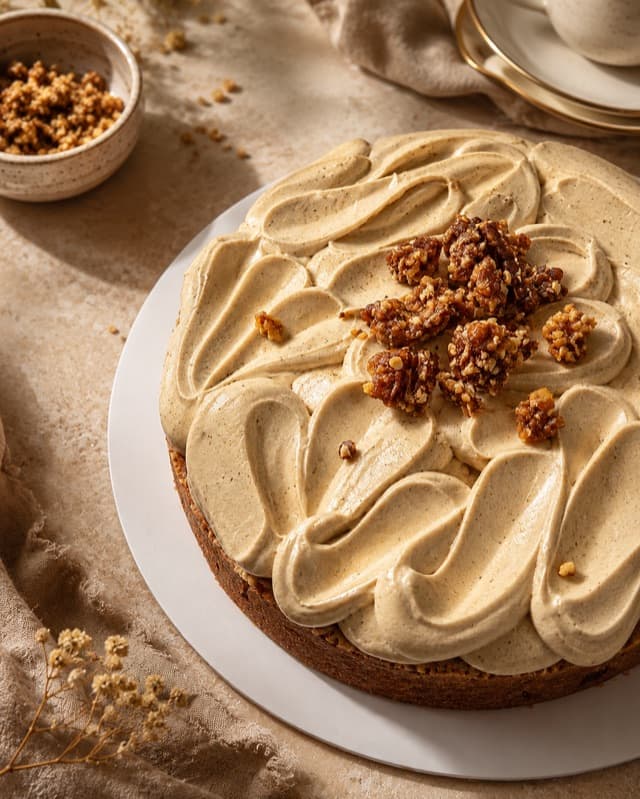
These demonstration images are already used by Ambrosia. Plain backgrounds become brighter settings. The scenery around the cakes is generated: it does not show the actual location where the photo was taken.
Also look at what changed on each cake: cream texture, piping edges and the arrangement of decorations. AI can reinterpret these details. These examples illustrate possible transformations without guaranteeing an exact reproduction or a commercial result.
Mixed berry cake
White cake decorated with blueberries
Cake with piped buttercream
How to try it with your photo
Open the trial, upload a sharp cake photo and provide the requested context. Specify what you are presenting: a made-to-order creation, a design from your collection or a limited availability. Ambrosia prepares the image and a suggested caption.
Review the text, compare the image with the original and export the result you like. Generating a post uses 1 credit. The Free plan lets you explore the service without a payment card; included credits and other possible uses are detailed on the pricing page.
- Keep the whole cake in frame, with room around the decoration.
- Use your original photo instead of a compressed screenshot.
- Always keep the original file to check the accuracy of the result.
Wedding cakes, number cakes, layer cakes: details to preserve
Editing should present an existing creation. It should not suggest you made different decorations, used other ingredients or produced a different size. Here is what to check for each type of creation.
- Wedding cake: tiers, proportions, alignment, flowers and topper. An extra tier or simplified decoration changes the order being represented.
- Number cake: shape and legibility of the number, layers, piping, fruit and small decorations. Check the spaces inside the number especially carefully.
- Layer cake: height, apparent diameter, icing colour, lettering and texture. Artificial smoothing can hide the actual finish.
- For every design: names, ages, logos and lettering must remain accurate.
When retaking the photo is better
A very blurry image, part of the cake outside the frame or a blank white area with no detail gives the tool little information. Retaking the photo is then a more reliable way to show the real product.
If the result adds fruit, distorts lettering or changes your decoration, do not publish it as a faithful reproduction. Start with a better photo or use the original with cropping and a slight brightness adjustment.
Cropping, editing or a generated setting: which should you choose?
The right correction depends on the original problem. For an ordering page, favour an image that precisely describes the design being sold. To explore a marketing mood, try a generated setting, then check the cake detail by detail.
| Your need | What to try first | What to check |
|---|---|---|
| An object is distracting at the edge | Crop the original photo. | Keep the board, topper and proportions visible. |
| The photo is dark but sharp | Slightly adjust exposure and shadows. | Preserve the buttercream's depth and true colours. |
| The background distracts attention | Simplify the setting when taking the photo or try an AI suggestion. | Check outlines and any elements added around the cake. |
| The name is blurry or the decoration is cut off | Retake the photo. | Make sure you can read the lettering and see all decorations before editing. |
After the photo, help customers picture their occasion
A beautiful image shows your skill. The caption provides missing information: occasion, confirmed flavours, servings, collection area and how to request a quote. The Instagram page presents this complete journey.
Once you have checked the photo, add it to your website catalogue with the size, price or quotation arrangements. Customers can then find your creations and ordering information through the link in your bio or a message.
Questions about cake photo editing
Can I try cake photo editing for free?
Yes. The Ambrosia Studio Free plan includes 2 credits without a payment card. A post generated from your photo, including its image and caption, uses 1 credit. Subscriptions and other uses are detailed on the pricing page.
Does Ambrosia preserve my cake exactly?
Exact preservation is not guaranteed. Check proportions, piping, fruit, decorations and lettering. If any part of your work has changed, use another suggestion or your original photo.
Can I improve a bakery photo taken with a phone?
Yes, if the cake is sharp and sufficiently visible. Start with framing and exposure. An AI suggestion can change the presentation, but does not guarantee every detail is preserved.
Can AI fix illegible lettering?
It may produce different lettering or invent letters. To show a specific name or age, take a readable photo of the actual decoration again.
Do I need a new image for every post?
Not necessarily. A full photo and a detail of the same creation can explain the design and then its finish. Vary the information given to customers without presenting these views as different orders.