Home and event catering · Free showcase website
Create your catering website for free, without coding
Present your buffets, cocktail receptions and services at customers’ homes or events. Create your free showcase website from your business details, photos or Instagram, without coding. Preview it before signing up, then receive enquiries and prepare quotes using your usual method.
Updated on
Free creation and publishing · Up to 18 active products · No card required. Preview before signing up. Optional online payment: 5 % Ambrosia commission on the Free plan, plus Stripe fees, paid by you. No Ambrosia commission on requests without online payment.
Explore an example catering website
Discover “Les Tables de Juliette”: a business introduction, buffets and receptions by enquiry, and a form with the date, venue, guest count and requested services. Switch between mobile and desktop and open a service to explore the journey.
This business and its offers are fictional. The demonstration illustrates a website template; it does not send enquiries, reserve services or take payments.
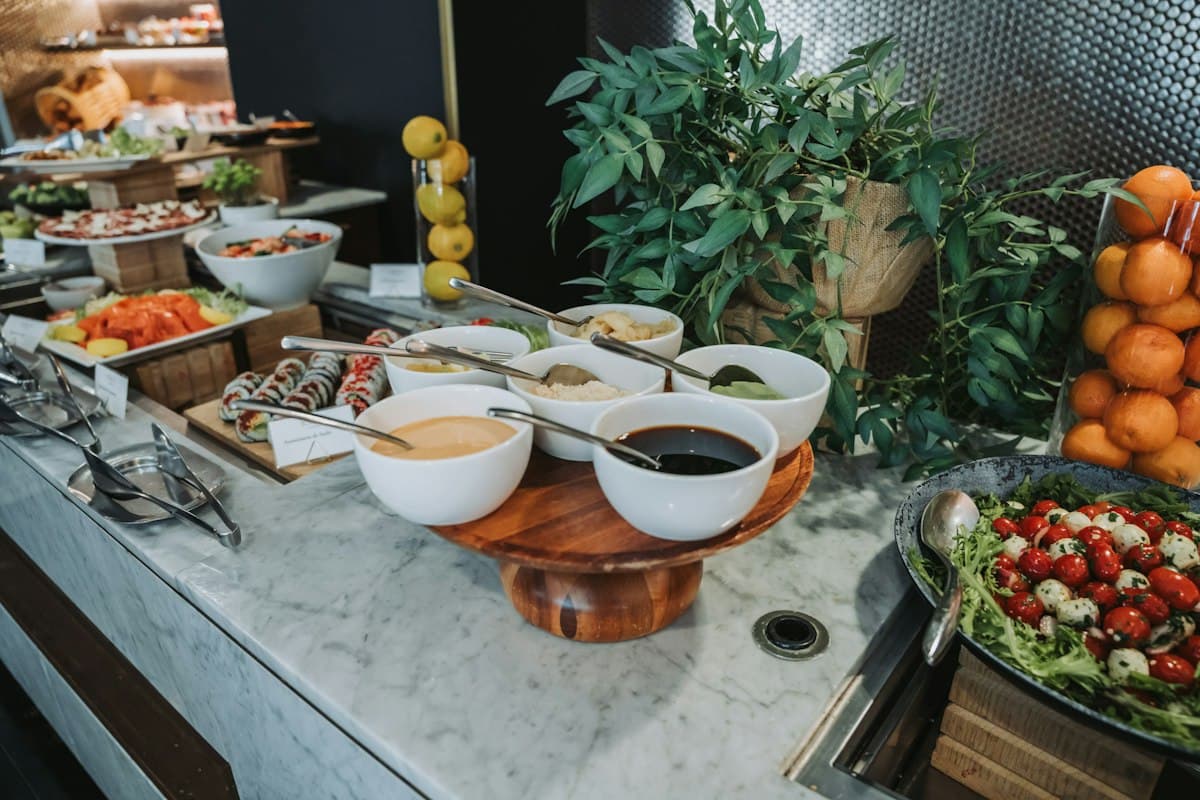
Illustrative photo: Jose Marroquin / Unsplash.
A showcase for your home or event catering business
Your website can start with an introduction to your business: your food, your work, your service area and contact details. You can publish this showcase without online payments, then add forms for the services you want to receive enquiries about.
A delivered buffet, a staffed canapé reception and a full-service event each involve different arrangements. Create a page for every service you actually offer, with photos of your work and a description of what is included.
Specify the formats, quantities or guest numbers the offer is designed for. Depending on your service, explain delivery, setup, staffing and supplied equipment. Show a fixed price, a starting price or a price on request according to what you can confirm.
- Buffet: proposed menu, presentation, collection or delivery arrangements.
- Canapé reception: savoury and sweet bites, reception format and any service provided.
- Reception: on-site preparation, setup and equipment, only where included in your offer.
- Home catering: service area, guest count and venue access arrangements.
What your free showcase website includes
Creating and publishing your website is free, with up to 18 active products to present your menus or services. Add photos, text, contact details and enquiry forms without a paid subscription or a card.
View a preview before signing up. Your free account then lets you save the draft, personalise the content and publish at an Ambrosia address to share. This included address is not a separate domain name registered in your name.
| Your need | What is included |
|---|---|
| Create and publish your showcase website | €0: introduction, photos, practical details and an Ambrosia address. |
| Present your menus or services | Up to 18 active products in your catalogue. |
| Receive enquiries | Customisable forms, with no Ambrosia commission on enquiries without online payment. |
| Offer online payment | Optional online payment: 5 % Ambrosia commission on the Free plan, plus Stripe fees, paid by you. No Ambrosia commission on requests without online payment. |
| Expand your catalogue | Paid plans offer higher limits and additional features. |
Collect the details you need for a quote
In your website editor, customise a form’s questions and link it to the relevant services. Choose required fields and add free text, numbers, a date and single or multiple-choice questions. One form can be used for several offers.
The questions below are suggestions to configure in your workspace. Keep the initial enquiry form short, then discuss the requirements in more detail with the customer.
| Information to request | Suggested question | To help prepare your reply |
|---|---|---|
| Date and guest count | What date, and how many people? | Check your capacity to provide the service. |
| Location | Where will the reception take place? | Discuss access, travel and delivery arrangements. |
| Format | Buffet, canapé reception or another event? | Identify the relevant service pages and proposals. |
| Services | Delivery only, setup or on-site service? | Clarify the services and equipment needed for your offer. |
| Budget and expectations | What budget do you have in mind? Is there anything else you would like to add? | Prepare a conversation suited to the event. |
Turn an enquiry into a clear proposal
Find the customer’s responses in Studio. Then check your availability, quantities, logistics and price before sending a proposal. Submitting the form is an enquiry: your availability and service terms still need to be confirmed.
The website collects information to help you prepare a quote. Create and send the quote using your usual method; quotes and invoices are not issued automatically in this workflow.
Custom requests must be confirmed with the customer. For fixed-price products with direct payment, connect Stripe and enable the basket. Ambrosia commission: 5 % on Free, 1 % on Premium and 0.2 % on Pro of the amount paid, charged to the artisan, plus Stripe fees. No Ambrosia commission on requests without online payment.
Someone requests canapés for 45 guests at an office on a Thursday at 6 pm. They choose savoury and sweet bites and specify ‘delivery, no service’. You check the date, building access and quantities, then clarify whether platters and their collection are included. The enquiry becomes a proposal after your discussion; the form does not reserve a time slot.
Our communication and design experience at work for your website
Anthony designs and develops the Ambrosia tools. Noé works on customer journeys and Instagram strategy, while Noëlia brings her graphic design expertise. Together, we design the templates, photo placement and the journey from your Instagram post to your website and the customer’s enquiry.
For your business, this means an offer that is easier to browse: a featured creation, clear sizes and terms, then a clearly stated next step. You stay in control of your content and how you present your craft.
Pair an overview of your setup with close-ups of the food offered. Explain the context of each event: a standing reception, family buffet or team lunch. Visitors should be able to distinguish examples of your expertise from what is included in the service shown.
If you use an AI-generated visual, compare it with your original photo: the number of items, visible ingredients, presentation and equipment should reflect your work. You approve the result before publishing; a generated setting must not imply that equipment is included in your offer.
This expertise informs the design of Ambrosia’s tools and templates. Personalised strategy or brand identity work is discussed separately with the team; it is not automatically included in free website creation.
- Highlight your creations: framing, spacing and colours that keep the product centre stage.
- Help customers choose: distinguish the creation’s name, options, price and ordering terms.
- Create continuity: use the same names, photos and details on Instagram and your website.
- Make the first conversation easier: explain what customers can request and the information they should provide.
A post shows a family buffet. The link leads to a listing explaining its contents, the number of guests and what delivery includes. The form collects the date and venue: you have the context to prepare a quote, without implying that setup or service are included.
How to create your catering website for free, without coding
Start with your business details, photos, a flyer or public Instagram profile. Choose a style and view the preview before creating your account. No code to write: adjust text, photos and colours in the editor. You can also start without an Instagram account.
Your website is saved as a draft. Confirm your email, replace any demonstration content, then complete your services, service area and forms. Check the mobile and desktop layouts, click “Publish draft” and confirm publication.
Build your page
Your style, creations and practical information together on one page. Create your account and page step by step, then stay in control of your content and its order.
 ExampleExample
Showcase your products
Large, appealing photos, a name and the details customers need to choose. Each product page presents your sizes, options and pricing information.
- Event date
- A Sunday, to be confirmed
- Number of guests
- 40 guests
- Event location
- Lyon, exact address to be confirmed
- Required services
- Delivery and setup
- Event details
- Family lunch; access and times to be confirmed
Ask the right questions for each product
Assign a specific form to each offering: servings and decoration for a cake, guests and venue for a buffet. Receive the details you need to prepare your response.
A link to share whenever someone recommends you
When a customer recommends you, your website lets them show your services and explain how to contact you. Share the same link in your Instagram bio, WhatsApp conversations or email signature: visitors can find your offers and enquiry form together.
Enter your town or city and the areas you cover. Someone looking for a caterer should be able to tell whether you can deliver to their event or work on site. Update these details when your services change.
Questions about creating a free catering website
Can I create my catering website for free?
Yes. Creation and publication cost €0 on the free plan, with up to 18 active products and no card required. Preview before signing up and start without a paid subscription. Optional online payment: 5 % Ambrosia commission on the Free plan, plus Stripe fees, paid by you. No Ambrosia commission on requests without online payment.
Can I create a catering showcase website without knowing how to code?
Yes. Enter your business details, add photos or a flyer, then choose a style. Personalise text, images and colours in the editor without writing code. A public Instagram profile can also be a starting point, but is optional.
Can I publish a simple showcase website without online payments?
Yes. Present your buffets, service area and contact details without connecting Stripe. Add forms to receive quote requests, with no Ambrosia commission on enquiries without online payment. You then prepare your quote and confirm the service with the customer.
What address is included with the free website?
Your showcase website is published at an Ambrosia address to share in your Instagram bio, messages or printed materials. This free address is not a separate domain name registered in your name.
Is the website suitable for a home caterer?
Yes. You can present meals or buffets at customers’ homes, as well as cocktail receptions and event catering. Specify your service area, guest count, delivery and available services. The form collects useful information; you confirm feasibility and price yourself.
Can I customise forms for buffets and canapé receptions?
Yes. Edit questions, answer options and required fields in the editor. You can use a shared form or distinguish a buffet delivery from a staffed event. Configure these questions in your workspace after creating the website.
Does the website organise production and staffing?
The website presents your offers and brings enquiries together. Stock management, production scheduling, staff allocation and invoicing remain in your usual tools. Receiving an enquiry does not block your availability.